 By Engadget | Created at 2026-10-17 18:51:38 | Updated at 2026-10-17 19:48:56
1 hour ago
By Engadget | Created at 2026-10-17 18:51:38 | Updated at 2026-10-17 19:48:56
1 hour ago
A spare tablet, USB cable and $4 app can bring Android Auto to your desk or kitchen counter.
Husain Parvez for Engadget
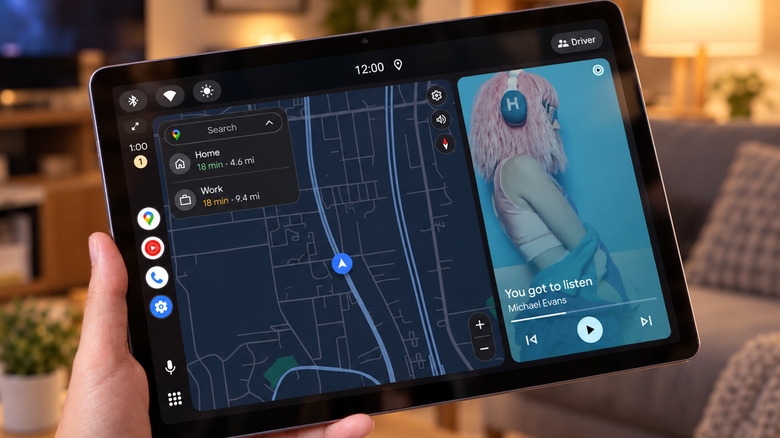
My old Samsung Galaxy Tab had poor battery life, but still had enough juice to be a Google Home control panel. Then I came across an unusual use for it: Android Auto. Yes, the software intended for car dashboards can be used elsewhere with the right app.
Android Auto runs on your phone and projects a simplified interface for maps, music and messaging onto a compatible car display. If you instead install a third-party receiver app on a tablet, it can act as the "car's screen" without a vehicle in sight. And because your phone does the processing, it's great for an aging tablet that has trouble running apps.
With this, it's possible to repurpose an old Android tablet as an Android Auto display in your car. But the same hack can be used on a desk or kitchen counter, where keeping a screen in view may help prevent you from picking up your phone every five minutes. Just don't mistake it for an official Google Home dashboard mode.
How to use Android Auto without a car
Hendra Susanto0311/Shutterstock
For a wired setup, you'll need an Android phone running Android 11 or newer, a spare Android tablet or phone and a data-capable USB cable. Android Auto is already integrated into compatible phones, so you just need to install a receiver app on the second device.
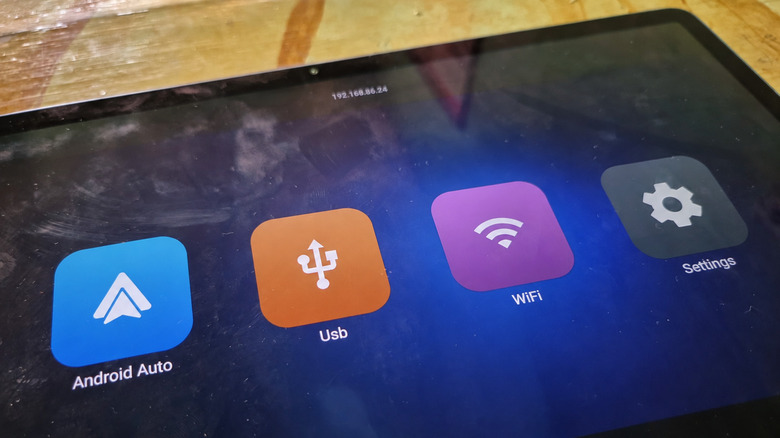
One of them is Open Headunit (formerly Headunit Revived), available for $3.99 on Google Play. It's compatible with Android 5.0 or newer on the receiving device, so older tablets may be worth a shot. However, you'll still need a compatible USB connection, which not all older tablets will play nice with. Another option is Headunit Reloaded, which costs $4.99.
Install Open Headunit on the tablet, then:
- Connect the tablet to your phone using a USB cable (and an OTG adapter if necessary).
- Select Android Auto in your phone's USB options, if prompted.
- Open the app on the tablet, tap USB, grant permission and choose your phone from the device list. Approve any remaining connection prompts on your phone.
Android Auto should then appear on the tablet. If you'd rather avoid keeping your phone connected, both apps also offer Self-Mode, which runs Android Auto on the same device. However, this requires the device to have a working Android Auto installation of its own, which isn't guaranteed on older tablets.
Open Headunit's developer says Android Auto 17.4 and later may require starting the head unit server through Android Auto's developer settings before Self-Mode works. Wireless connections between the two devices are possible, but take more setup. While USB is easier, it occupies the tablet's charging port, which is a problem when the battery is already worn-out.
What's the point when your phone is right there?
Spotify
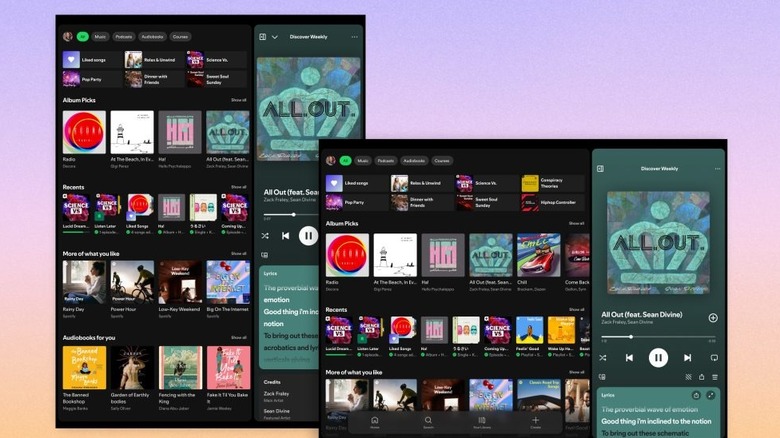
Android Auto's driving-friendly design is also a distraction filter. With big controls, you can pause Spotify or skip a podcast without unlocking your phone. Plus, your messages can be read aloud and answered by voice. On compatible systems, Gemini can respond to queries and even manage smart home gadgets via Google Home, although this is not always reliable.
You also don't have your usual parade of apps in front of you. Android Auto only works with a limited selection of apps, so you won't get sucked into spending half an hour on Instagram when you just wanted to check a song title. A spare tablet can sit next to a monitor or on a kitchen stand, doing a few tasks well without constantly needing your attention.
There are compromises, though. If all you want is Spotify or Google Home, running those apps directly on the tablet is simpler. The dashboard can be dominated by maps when you aren't on the move, and it won't be running your normal tablet apps when connected to Android Auto. Anyone in the vicinity may be able to see message notifications.
With both USB and wireless projection, your primary phone has to remain connected, and paid services like Spotify Premium still require their own subscriptions. Google's official setup instructions don't cover using Android Auto on a tablet at home. It's a fun novelty, but expect some quirks.