 By Engadget | Created at 2026-09-29 13:01:45 | Updated at 2026-09-29 14:31:40
1 hour ago
By Engadget | Created at 2026-09-29 13:01:45 | Updated at 2026-09-29 14:31:40
1 hour ago
A single extender might fix a dead zone, but can't compete with better network tech.
New Africa/Shutterstock
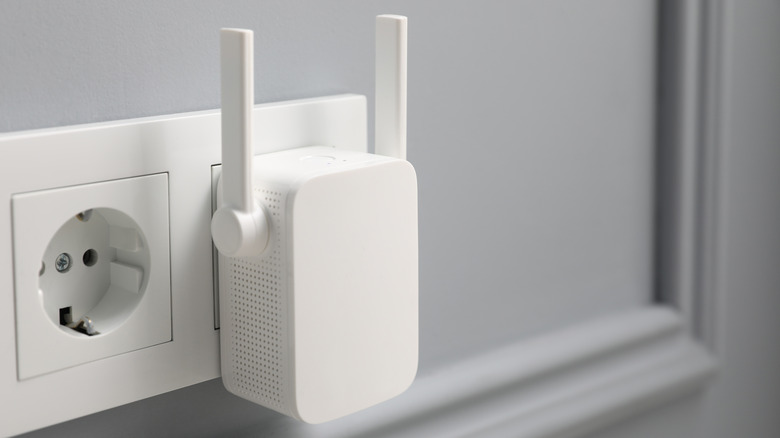
A Wi-Fi extender is generally the cheapest fix for rooms that can't pick up a strong Wi-Fi connection from your router. They're common and easy to set up, but the catch is that an extender can't magically create a strong signal out of a weak one. Thus, deciding where to put one is a game of compromise, with the sweet spot usually being halfway between the router and the low-signal area you want to fix. Unfortunately, it's not easy to find that "best compromise" in every home, so most people take what they can get.
Even the best Wi-Fi range extenders trade speed for distance. Many basic extenders use the same band for receiving and transmitting, which cuts its speed by up to half (because the extender can't receive data from the router at the same time it sends a device that information). Models with separate bands can work in both ways at the same time, but still struggle to deliver speeds close to the router itself. Throughput can plummet before it even has to deal with walls or interference that will further weaken the link.
Most extenders (not all) are poor substitutes for better tech, and it's difficult to achieve seamless, whole-home coverage with them. For a single small room that's relatively close to the router, an extender gets a solid "maybe". If we're talking about several rooms or a backyard office, an extender may not cut it.
A router, mesh or Ethernet
Before you buy anything, check your existing router first. Many newer routers (not the lousy one your ISP provides by default) are much more capable than you might realize. Make sure it's as close to the center of the home as possible, and not sitting inside a cabinet or anything else that blocks signals. If you have an old router, an upgrade will likely do more than an extender. But if it's relatively new and your home is not especially large, a capable standalone router can make the cut if you're smart with placement. Even the way you set the router antennas can have an effect.
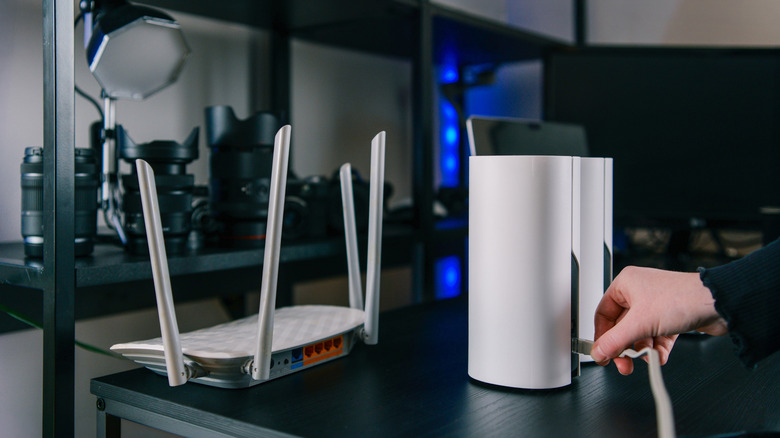
Now, if you're dealing with thick walls and concrete, or you have an exterior office with no Wi-Fi, a good mesh Wi-Fi system can take care of broader coverage. A basic mesh setup uses a strategically placed router with a few "satellite nodes" installed throughout the home. While this sounds like extenders, it's not the same.
A mesh network is designed to work together under a single network name (SSID), so your devices automatically connect to the strongest node as you move around the house. In contrast, with a Wi-Fi extender, using the same SSID often results in your devices bouncing back and forth between connecting to the router and extender. Giving the extender a distinct name isn't always a solution though, since that requires you to switch connections manually as you move around.
Mesh isn't a magical solution, however. The nodes still require a good link to each other, and wireless backhaul can reduce speeds. Cheaper mesh systems often have the same "half-throughput" problem as extenders, where the same wireless band is used to both send and receive information. A tri-band system improves this, with a separate band used only for backhaul.
Otherwise, running Ethernet between satellite nodes (where it's aesthetically and practically doable) is a common method for boosting network capacity and speed. If possible, an outdoor office should definitely run Ethernet, or at least have nodes set up in line-of-sight via windows.
Where should you not place an extender?
shine.graphics/Shutterstock
The worst place to stick a Wi-Fi extender is in a dead zone. An extender can't repeat something it's not receiving in the first place, so it needs a good signal from the router it can pass along. If an extender is receiving 40 percent signal strength from your router, a 100 percent connection to that repeater is still pretty weak.
Extenders are generally pretty small, so they have an advantage in placement flexibility. Unfortunately, Wi-Fi's kryptonite is basically everything except clean, open air. Never place extenders behind TVs, cabinets or mirrors — and especially not metal objects or surfaces.
If at all possible, line of sight with the router is best. For example, if the router is in the living room and the hallway is visible from the router, place the extender in a hallway outlet so it can better cover some of the adjacent rooms, especially those directly across. If the only option is a socket behind the fridge or on the other side of a thick wall, you may as well not bother.
If you need to improve signal in a single room and you have a good place to plug it in, an extender can do the job. The problem is that all the factors working against extenders limit their usability. Some extenders can be switched to access point mode if you can run Ethernet to them, but that's usually not the ideal scenario.